API and MCP keys
Make and revoke Songcode API keys, save a model key for the API and MCP, and see the assistants you connected.
api has the API’s base address and your keys for the Songcode API. new key asks what the key is for and makes it. The key is shown once: copy puts it on the clipboard, and done hides it for good. revoke ends a key at once.
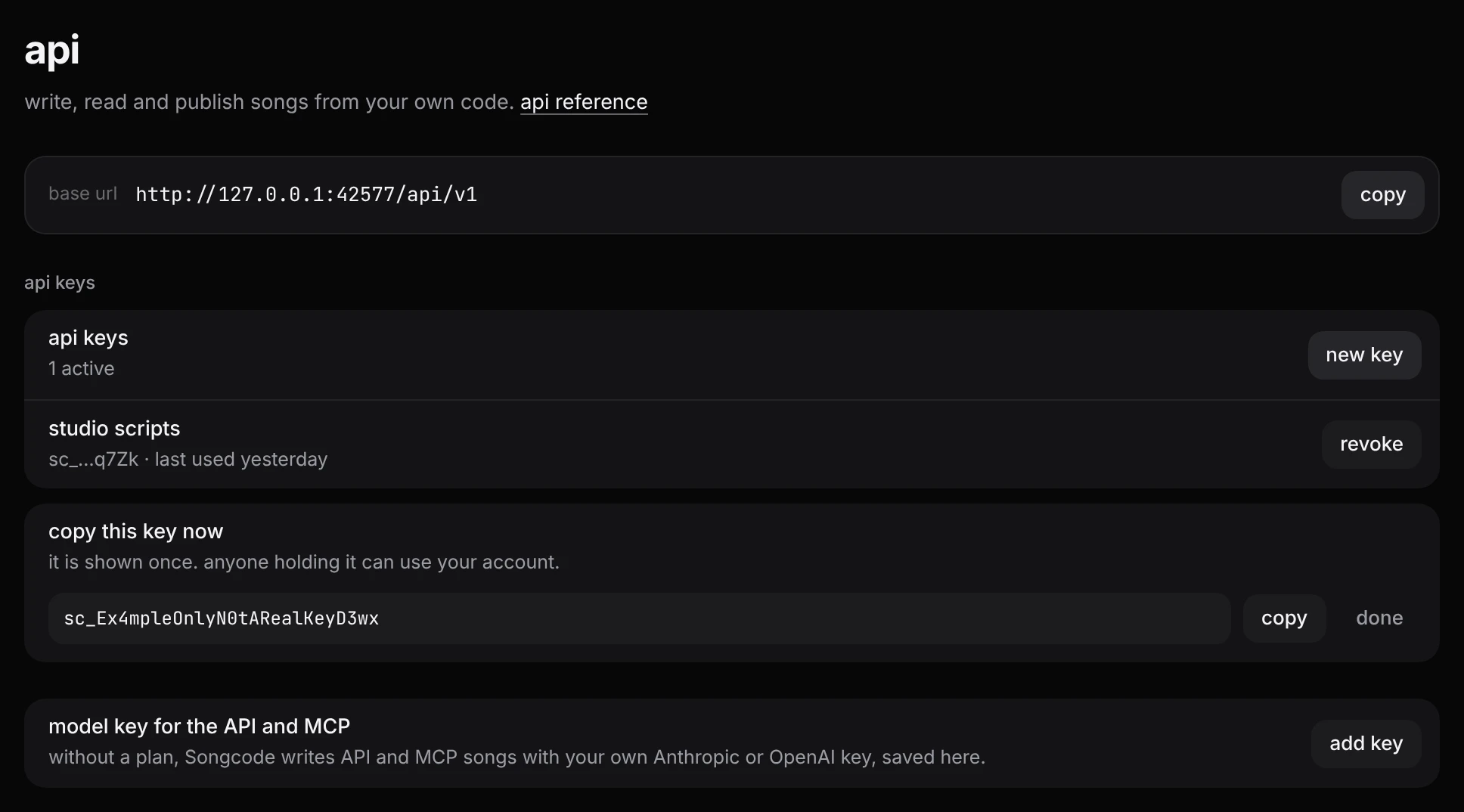
Under the keys, model key for the API and MCP: without a plan, Songcode writes songs asked for over the MCP server and the API with this key, your own from Anthropic or OpenAI. add key takes the provider and the key (the one this browser uses is filled in when there is one). It is stored encrypted and never shown again, only its last four characters; remove deletes it. On a plan it is not used. It appears once Songcode can store keys.
These keys are Songcode’s own, for calling Songcode. The model keys in keys in this browser are different: they are yours from Anthropic or OpenAI, for writing tracks in this browser, and they stay in it.
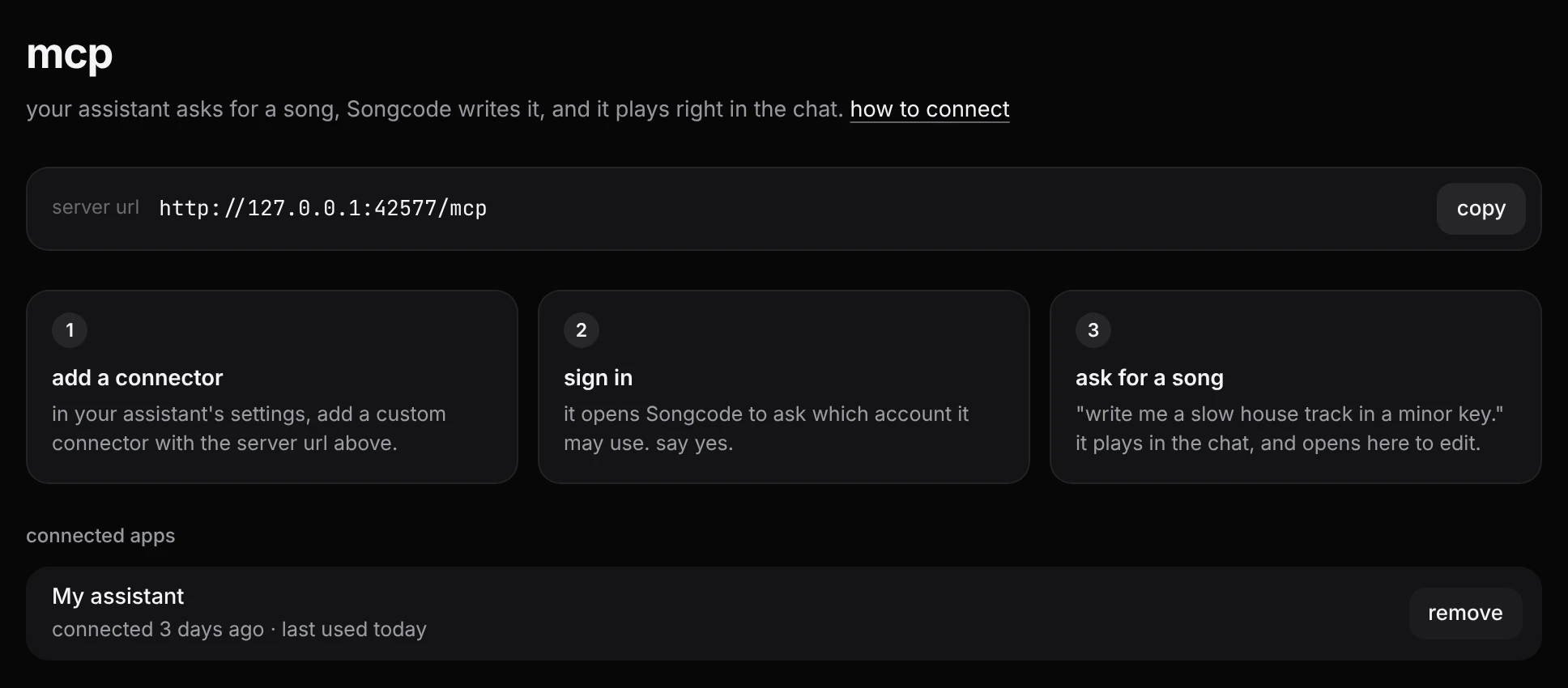
mcp has the MCP server’s address with copy, the three steps to connect an assistant, and every app you allowed in through Songcode’s connect page, with when it was connected and last used. remove ends its access at once. The app can be connected again later.
docs in the sidebar opens the developer docs in a new tab.