The dashboard
Your account in one place: the overview, settings, how the Studio looks, API and MCP keys, usage, billing and referrals.
Click the person icon, the first of the five icons at the top right. The dashboard opens over the whole window: a sidebar of sections on the left, one section at a time on the right. A track that is playing keeps playing, and one that is being written keeps being written.

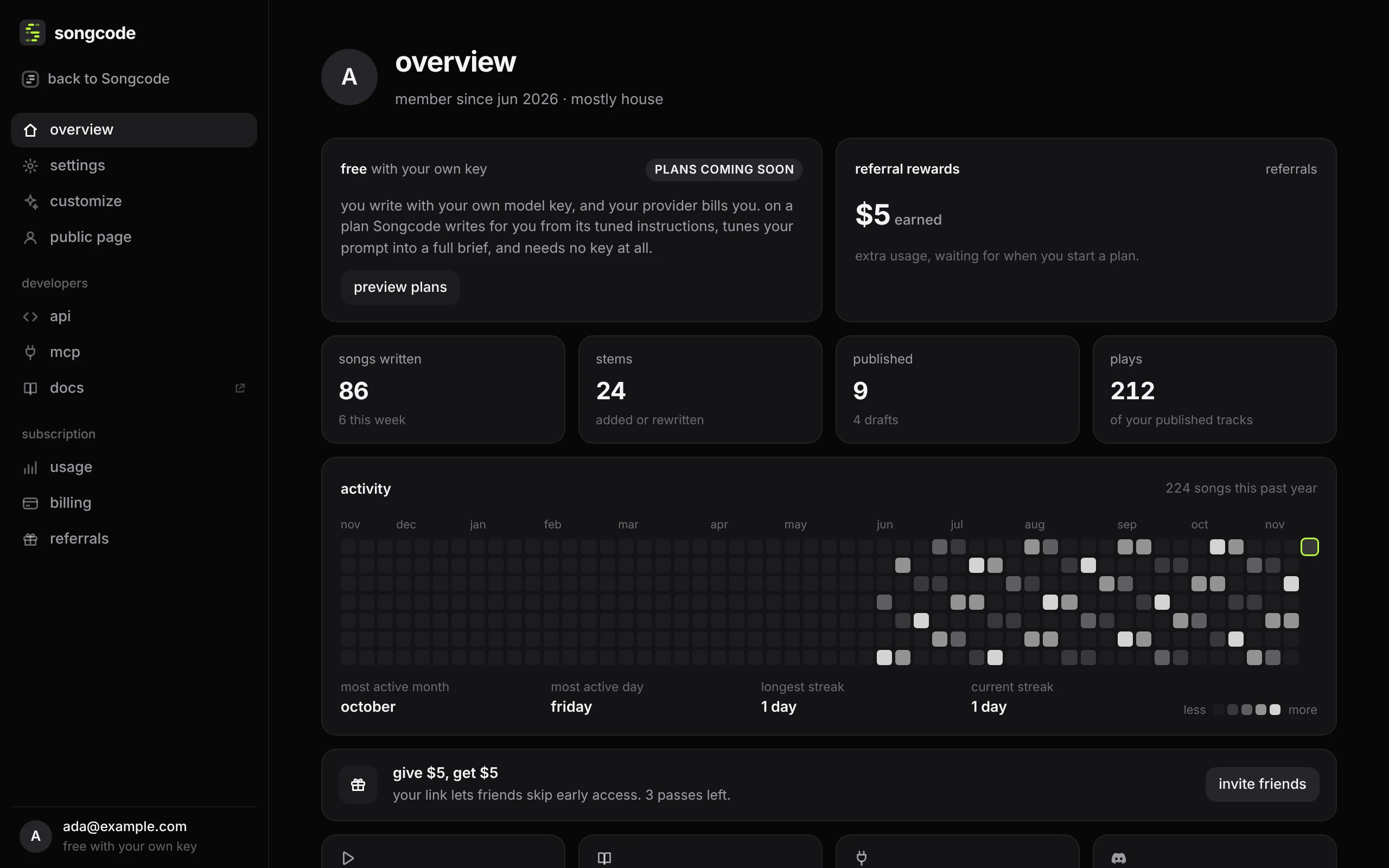
back to Songcode, at the top of the sidebar, returns to the editor, and so does esc. Each section has its own address: studio.songco.de/settings is the overview, and the others follow it, such as studio.songco.de/settings/usage. The browser’s back button steps back through the sections you visited, then to the editor. Your email and plan sit at the bottom of the sidebar.
The dashboard covers the top bar, but a song you were playing keeps going underneath. While it plays, or sits paused partway through, a small player sits above your email in the sidebar (on a phone it floats along the bottom of the screen). It shows the title and where the song is, its button plays and pauses, and space does the same. Tap the title to go back to the song.
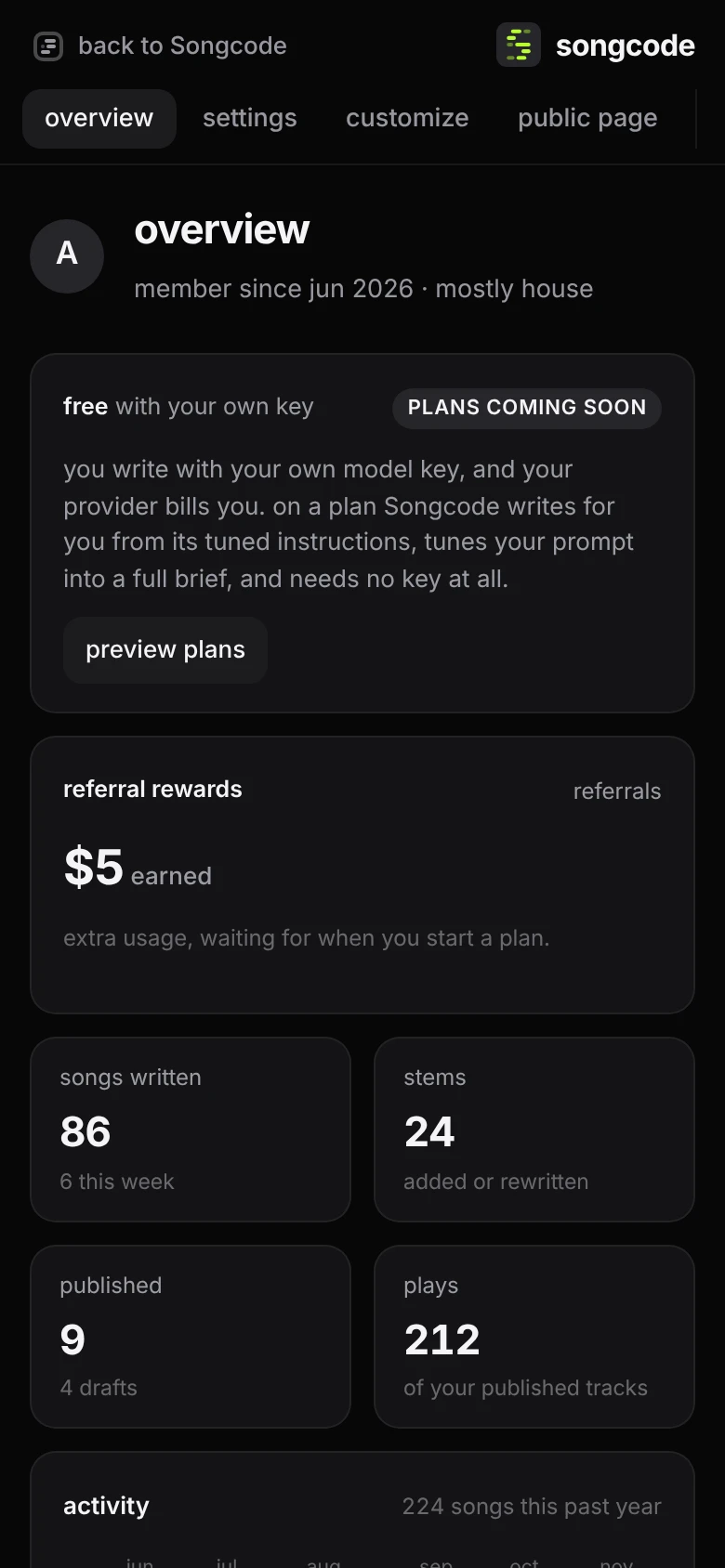
On a phone the sidebar becomes a row of sections along the top, which scrolls sideways.
#The sections
| section | what it holds |
|---|---|
| overview | your plan and this week’s usage, your counts and a year of activity |
| settings | your picture, email, password, keys in this browser and help |
| public page | your tag and the tracks on songco.de/@you |
| customize | how the Studio looks: accent, code colours, stem colours, code size and switches |
| api and mcp | keys for the Songcode API, the model key for the API and MCP, and connected assistants |
| usage | how much of the week is used and what uses more |
| billing | plans, your card, extra usage and receipts |
| referrals | your link, what it has earned, and the friends who joined |
#Overview
Your plan and how much of this week it has used, or free with your own key without one. Next to it, your extra usage, or without a plan what your referrals have earned. Under them four counts: songs written (with how many this week), stems added or rewritten, published tracks (with your drafts), and plays of your published tracks by other people.
activity is a year of your songs, one square a day, darker for fewer. Today has a ring in the accent colour. Under it: your most active month and day of the week, your longest streak of days in a row with a song, and your current one. Then a way to invite friends, and links to compose, the docs, the MCP server and the Discord.
#Admin
Songcode’s own admin accounts see an admin group in the sidebar, with the admin dashboard and its pages. Nobody else sees it, and the server checks every request.