The library
The panel of your drafts and published tracks. Open it, read a row, open a track, delete a draft.
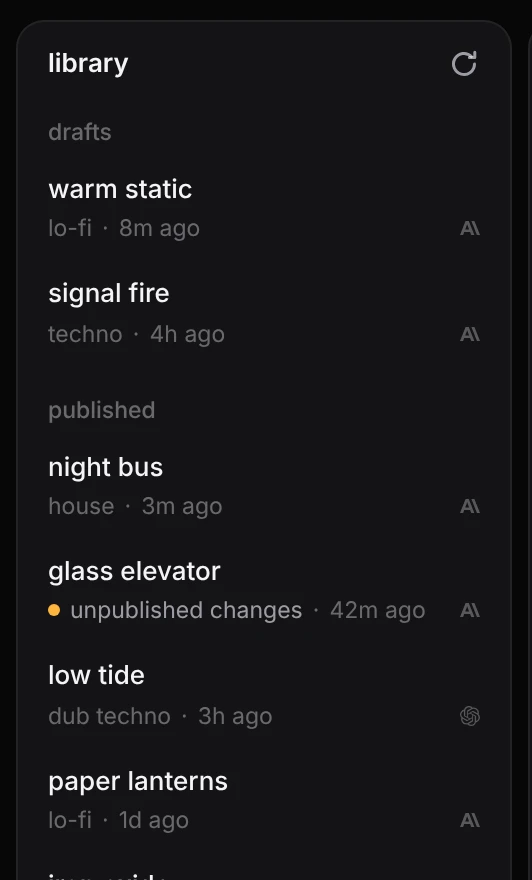
The library lists your tracks in three groups: drafts, which only you can see, remixes, which are remixes of published tracks and are also only yours until you publish them, and published, which have a link. Open it with the button at the far left of the top bar. Click the button again to close it. The app remembers whether you left it open.
#Read a row
Each row is one track:
- its title
- its genre and how long ago it last changed
- a small mark for the provider whose model wrote it, Anthropic or OpenAI
A remix shows remix of and the title of the track it came from in place of its genre.
A published track whose draft holds changes its link does not have yet shows unpublished changes in place of its genre. See changes after publishing.
Click a row to open that track. A draft opens at its own address; a published track opens at its link, with your unpublished changes if it has any. The track you were working on is already kept as a draft, so nothing is lost by switching.
A track last worked on in the stems view opens in the stems view.
#Delete a draft
Hover a draft and press the × at its right, then delete to confirm. A deleted draft cannot be brought back. A remix is deleted the same way.
On a published track with unpublished changes the same place holds an arrow: press it, then discard, to drop the changes. The published track and its link stay as they are. A published track itself cannot be deleted from the app.
#Whose tracks these are
The library shows your own tracks only: the drafts and published tracks of the account you are signed in with. It lists your 100 most recent drafts and your 60 most recently changed published tracks. A published track that has scrolled out of the list is still there, and its link keeps working.
#Refresh
The arrow at the top of the panel loads the list again. The list also updates when a draft is saved and when you publish.
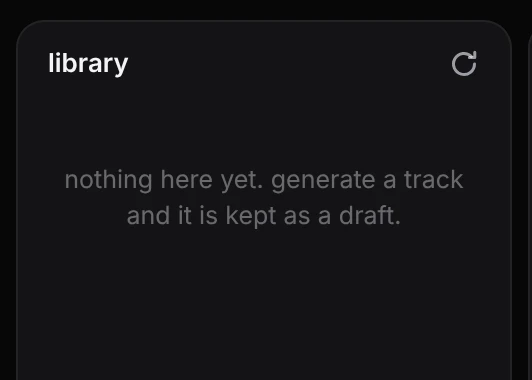
If the list cannot be loaded, the panel says so and offers retry. An empty library says so, and fills as soon as you generate a track.
#The address /library
Opening studio.songco.de/library opens the app with the library showing. It is a handy bookmark.