The code view
The track as text. How to read it, change it while it plays, and what an error means.
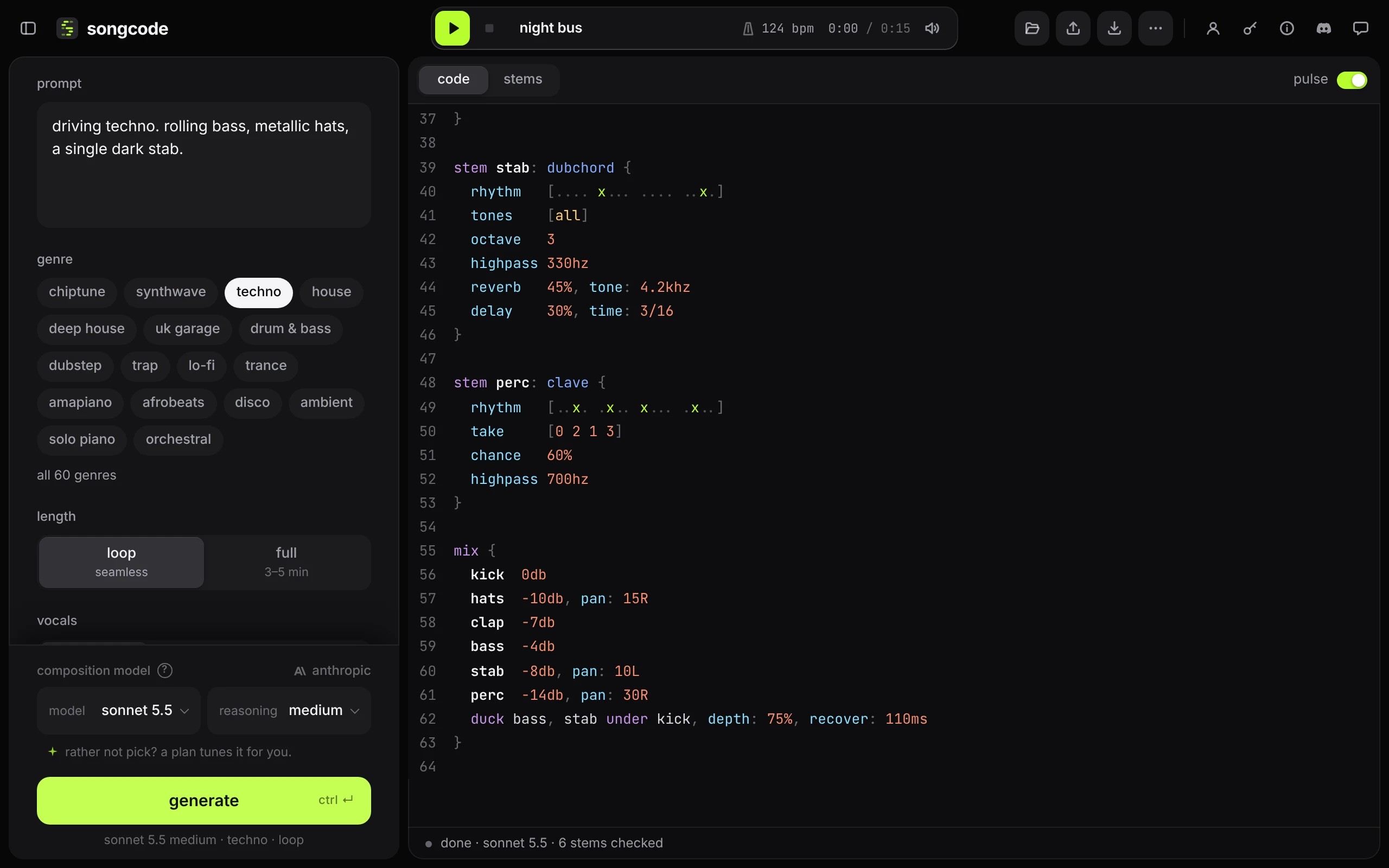
code on the view switch shows the track as it is: a short program. Nothing is hidden behind it. What you see is what plays, what the draft keeps and what a share link opens once you publish.
#What you are looking at
A track has a few lines of setup, then a block per stem, then a mix table. A stem is one part: the kick, the bass, a pad.
ode
title "iron oxide"
tempo 130
key c minor
form loop 8
chords [Cm7 % Abmaj7 Gm7]
stem kick: club {
kick [x... x... x... x...]
}
stem hats: club {
hat [xxxx xxxx xxxx xxxx]
highpass 420hz
}
mix {
kick 0db
hats -10db
}odesays the track is written in ode, Songcode’s song language. It can also name a version, as inode 0.3.0; see versions.titlenames the track.tempo 130sets the tempo: 130 beats a minute.keyandchordsare the key and the chord chart that every pitched stem follows.formsays how long the track is.loop 8is an eight bar loop; a full track lists its sections here.- Each
stemis one part: a name, a sound, and a block. Inside the block, rows in square brackets say what it plays and the settings under them say how it sounds. mixsays how loud each stem is.
The song format explains every piece, with two complete tracks to read.
#Edit
Click in the code and type. It is a plain text editor with line numbers, selection and undo on ⌘Z. Comments, text in quotes, numbers and stem names are tinted so the shape of a track is easy to see.
Easy first edits:
- Levels. Change a stem’s number in the
mixtable.-10dbis quieter than-6db. - Filters.
lowpass 800hzcuts everything above 800 Hz. Raise the number to open the sound up. - Sounds. Change
clubafter a drum stem’s colon to another drum kit, or the name after a pitched stem’s colon to another instrument. - Rhythm. In
kick [x... x... x... x...]eachxis a hit and each.is a rest, sixteen steps to the bar.[x... .... x... ....]halves it. - Mute a stem. Add
, muteto its row in themixtable:hats -10db, mute. - Tempo. Change the number in
tempo 130.
#See what is playing
While the track plays, the rows that are sounding light up softly, and each one pulses on the notes it plays: the kick row on every kick, a bass row on every bass note. A stem’s first line glows while any of its rows is playing, and in a sung stem the lyric line being sung lights up with the melody. While the code holds edits you have not sent with update, nothing lights up, because the rows no longer match what you hear.
To turn the light off, switch off pulse at the top right of the code view. The choice is remembered on this device.
#Hear an edit
While the track plays, the update button lights up as soon as the code differs from what is sounding.
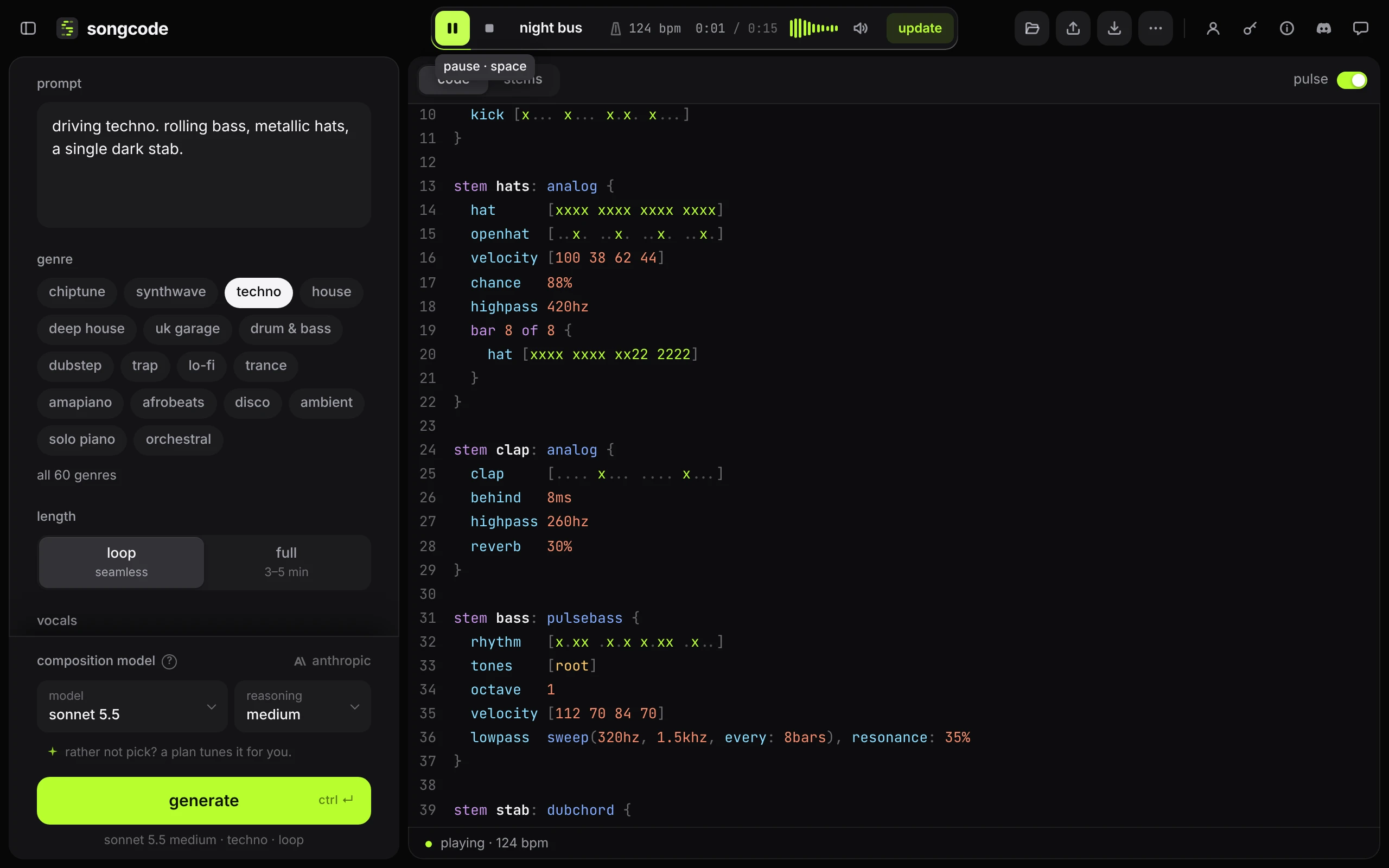
Press update, or ctrl and ↵ inside the editor. Only the stems you changed are swapped; the rest keep playing without a gap, and the playhead does not move.
With the track stopped, the same shortcut starts playback with the edits in.
#Errors
Every time the code changes, Songcode reads it and checks it. If something cannot be read, the status line turns red and gives the line, the stem and the problem.
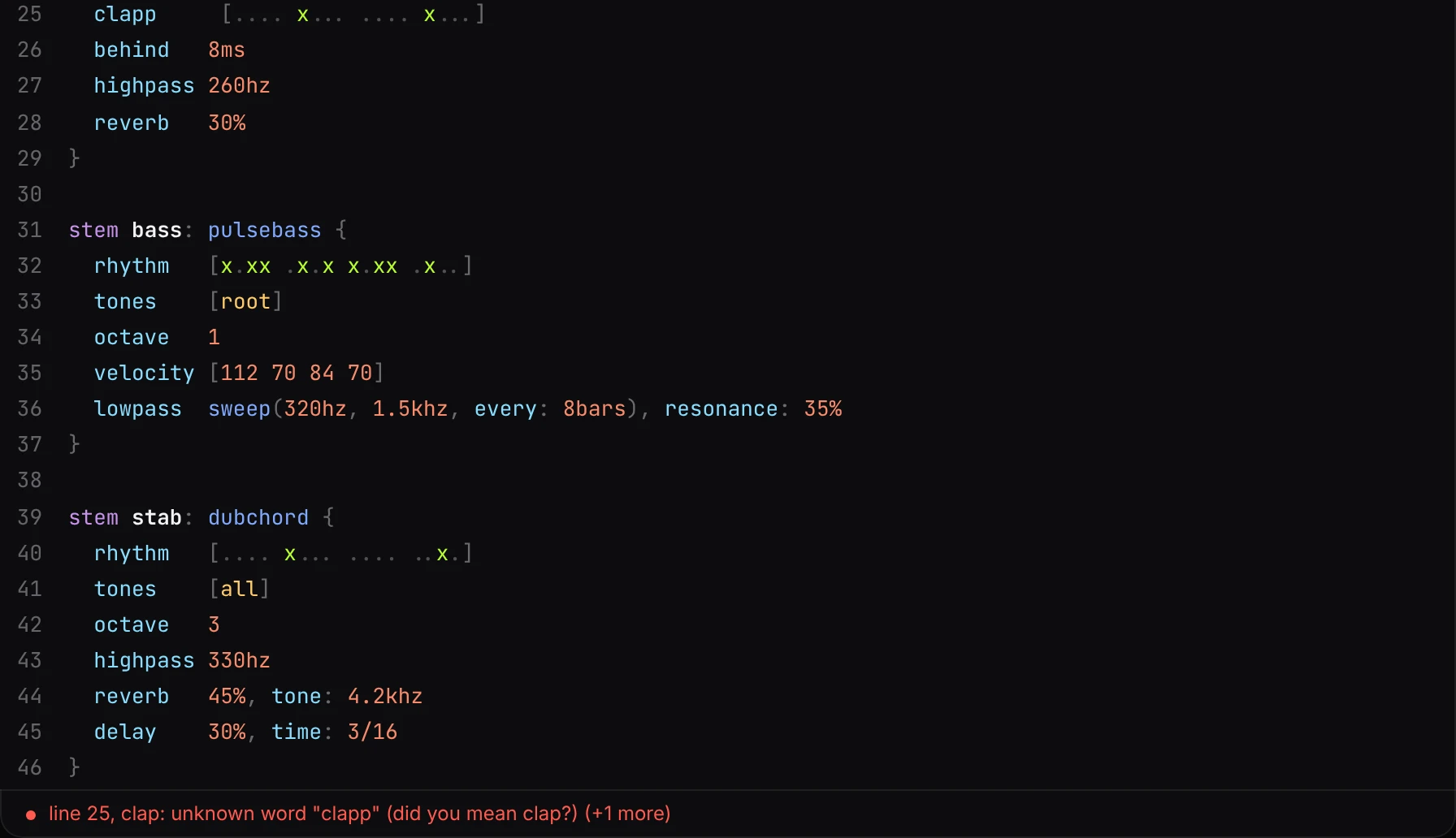
A broken stem falls silent and the others keep playing, so one typo does not stop the track. If nothing in the new text can play, the last version that worked stays on. When there are several problems, the status line shows the first and how many more there are. Fix the line and press update or play again.
What the messages mean:
unknown word "clapp" (did you mean clap?). A word ode does not have. It is always an error: nothing is skipped in silence. When a real word is close, the message offers it.no sound called .... The name after the stem’s colon is not one Songcode has. The sounds page lists every name.bar 1 has 15 steps. A row does not divide the bar evenly. The message lists the step counts the meter takes, such as 8, 12 or 16 in 4/4.bar 1 has 1 hit and 2 tones. A pitch row gives one pitch per hit, or one for the whole bar. The message counts both.bar 1 adds up to 3/4 of a whole note, the meter needs 1/1. The note lengths in a bar of alineor a score row do not fill the bar.starts a second row or setting on this line. A line holds one row or one setting. Put the second on its own line, or put a;before it.the { of "stem bass: pulsebass" is never closed. A missing}. That stem cannot be read. The stems written before it still play.no stem called ...andno section called .... A table or a block names something the track does not have. The message lists the names it does have.plays no notes. The stem reads and makes no notes, usually because its rows are all rests or it is switched off in every section.is not in Songcode's library; playing "..." in its place. A note, not an error. The kit has no drum of that name, so its nearest one plays.swing 70% is heavy at 120 bpm. A note, not an error. The track plays as written.this was made with an earlier version of Songcode and can no longer be opened. The text does not start with the lineode.
If you cannot see what is wrong, ⌘Z steps back to the last version that worked.
#While a track is being written
The stage shows the code as it streams in, and it cannot be edited until the model is done and the check has run. See what happens while it writes.
#Code and stems are the same track
The stems view is another way to edit this same text. Muting a stem there, moving a note or regenerating a part changes the code, and editing the code changes what the stems view shows. Switch between them freely.
That includes the mix. Each stem’s level, pan and mute are rows of the mix table. The faders and knobs in the stems view write them, and stand wherever the rows say when you edit them here. Where a block changes the mix for part of the song, the controls follow it as the song plays, and a control moved inside those bars writes that block’s row. Solo is the one thing left out: it is a way of listening, so it stays in the app.
#Take the code elsewhere
… in the top bar has copy code. See download and export.