Advanced controls
Thirty settings that steer the model. Every one starts on auto and is sent only after you touch it.
Under the model picker, advanced opens 30 controls in five groups. Each one is an instruction to the model. They do not process the audio afterwards; they change what gets written.

#How the controls behave
Every control starts on auto, which means “the model decides, guided by the genre”. A control is sent with the request only after you move it. This matters for sliders: one that still reads auto says nothing, while one you set to its middle asks for the middle.
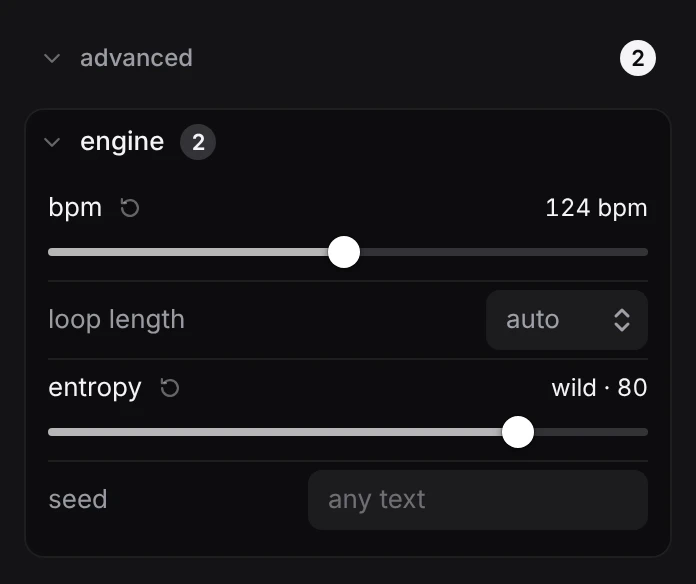
- A control you have set shows a small reset arrow next to its name. Click it to put that one control back on auto.
- Each group’s heading counts how many of its controls are set.
- reset, next to the total at the top, puts every control back on auto.
- Click a group’s heading to fold it away. Its count stays visible.
Settings stay as you leave them from one track to the next, until you reset them or reload the page. The settings a track was made with are stored with its draft and when you publish it, as a record. Opening or remixing a track does not load them back into the controls.
The controls apply to the next track you generate. Changing one does nothing to the track that is already loaded.
#Engine
| control | values | what it asks for |
|---|---|---|
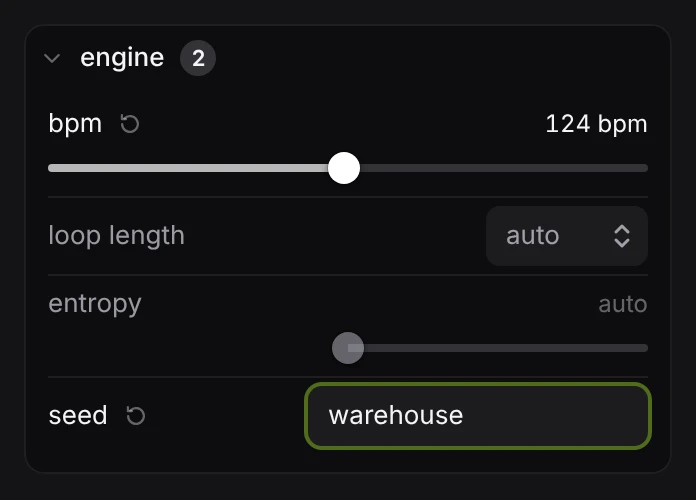
| bpm | 60 to 190 | The tempo. Left on auto, the genre’s range decides. The tempo is also written into the song as tempo(bpm), so you can change it later without generating again. |
| loop length | 4 bars, 8 bars, 16 bars | How many bars the loop runs before it repeats. Loops only. Auto is 8. |
| entropy | 0 to 100 | How much risk to take. Below 50 asks for the genre’s canonical moves; above 50 asks for odd meters, unexpected sounds and bent rules. 50 says nothing. |
| seed | any text | Any text. It is sent with the request, and it fixes the random choices in playback (degradeBy, sometimes), so the track sounds the same every time it is opened. |
loop length shows for loops only.
#Tonality
| control | values | what it asks for |
|---|---|---|
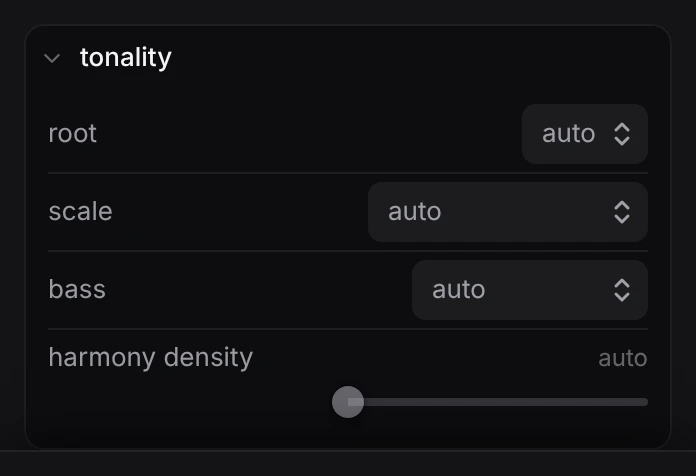
| root | c, c#, d, d#, e, f, f#, g, g#, a, a#, b | The key’s root note, used for every pitched stem. |
| scale | minor, major, phrygian, dorian, aeolian, locrian, harmonic minor, melodic minor, minor pentatonic, major pentatonic, blues, whole tone, chromatic | The scale, used for every pitched stem. Root and scale can be set separately; the model picks whichever you leave on auto. |
| bass | rolling 16ths, offbeat stabs, acid line, sub drone, chord stabs | The kind of bassline: a rolling 16th line under the kick, stabs between the kicks, a resonant acid line with accents and slides, a held sub, or syncopated chord stabs. |
| harmony density | 0 to 100 | How much harmony sits on top of the drums and bass. Low leaves it to the rhythm section; high asks for layered chords with moving voicings. |
#Rhythm
| control | values | what it asks for |
|---|---|---|
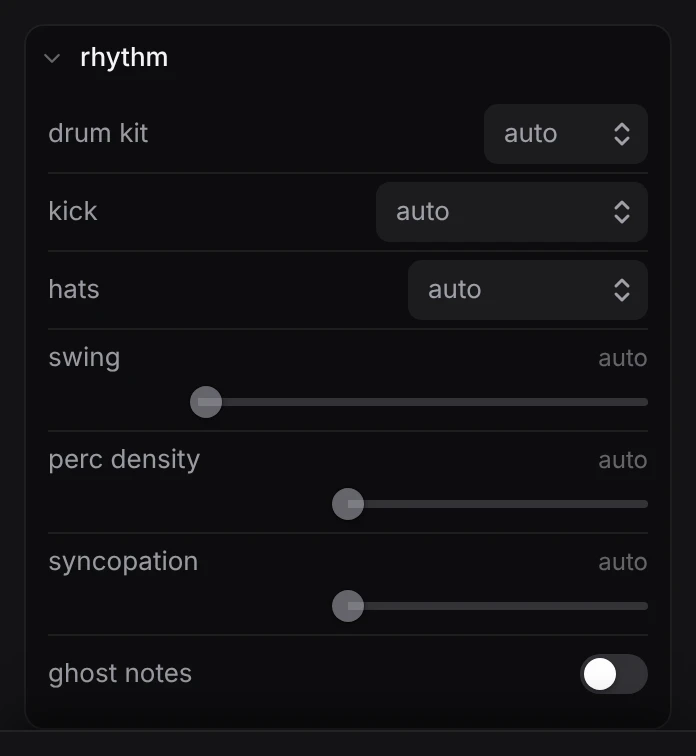
| drum kit | analog, hard, sub, fm, live kit, rock kit, club, boom, tight, sharp, lofi, arena, round, funk, grit, warm, clean, studio, bright, rave, crunch, laser, soft, wood | The kit or machine every short drum hit comes from. The five at the top are songcode’s own kits; the rest are sampled machines. All are listed under sounds. |
| kick | four on the floor, broken, four + rumble, sparse | Where the kick falls: strict four on the floor, a broken electro placement, four on the floor with a lowpassed rumble under it, or sparse with gaps. |
| hats | tight & closed, offbeat open, shuffled, rides | The hi-hat part: tight closed hats, open hats on the offbeat, a shuffled pattern with varied velocity, or a ride cymbal in their place. |
| swing | 0 to 100 | How far the hats and percussion lean off the grid. 0 asks for a rigid grid. |
| perc density | 0 to 100 | How much percussion surrounds the main drums, from one or two ghost elements up to layered polyrhythms. |
| syncopation | 0 to 100 | How far the patterns sit off the beat, from hypnotic on-grid repetition to euclidean and rotated rhythms everywhere. |
| ghost notes | off, on | Adds quiet, off-grid hits on the snare and percussion. |
#Texture and effects
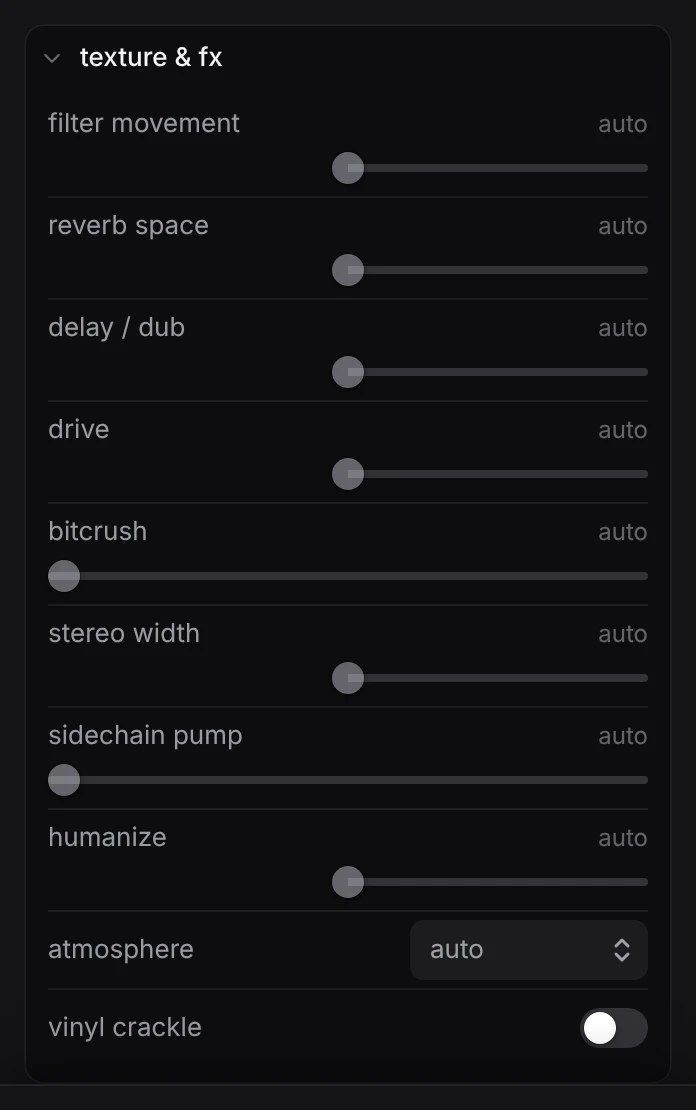
| control | values | what it asks for |
|---|---|---|
| filter movement | 0 to 100 | How much the filters move. Low keeps them still; high puts several on different slow cycles until the movement is the track. |
| reverb space | 0 to 100 | The size of the room, from dry and close to cavernous. The kick stays dry at any setting. |
| delay / dub | 0 to 100 | How much echo, from barely any to dub, where a filtered, high-feedback delay is played like an instrument. |
| drive | 0 to 100 | Saturation and distortion, from clean to a distorted kick and stabs glued back together with compression. |
| bitcrush | 0 to 100 | Bit reduction, from a hint on one percussion layer to an aggressive lo-fi crush across several. 0 adds none. |
| stereo width | 0 to 100 | How wide the mix is, from near mono to wide. Kick and bass stay in the centre at any setting. |
| sidechain pump | 0 to 100 | How hard the bass and pads duck under the kick. 0 adds no sidechain. |
| humanize | 0 to 100 | How loose the playing is, from machine tight to varied velocities with small timing offsets and dropped notes. |
| atmosphere | none, dark pads, noise bed, dub chords, found sound, rain, birds & water, night crickets, the sea, fireside | A background layer: dark pads, a filtered noise bed, dub chords drowned in delay, or found sound placed far back. None asks for no such layer. |
| vinyl crackle | off, on | Adds a constant, quiet bed of record crackle under everything. |
#Arrangement
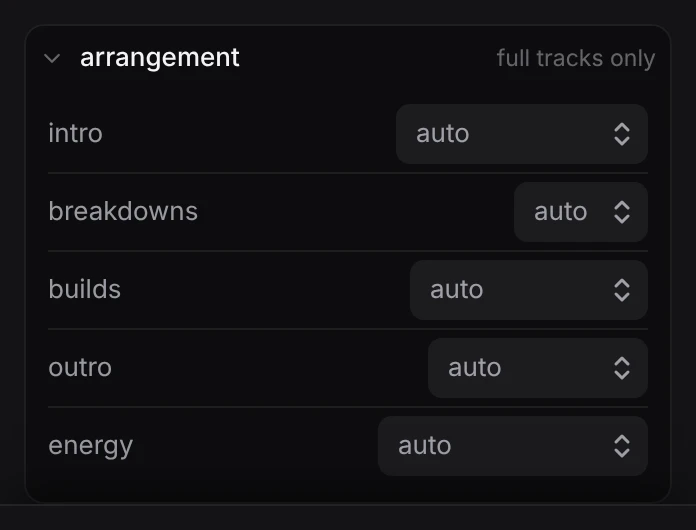
These five shape a full track’s structure. The group is marked full tracks only and is ignored for loops.
| control | values | what it asks for |
|---|---|---|
| intro | beatless, filtered groove, drums first | How the track opens: no drums until the first section ends, the main groove heavily filtered and opening up, or drums alone with the rest layered in. |
| breakdowns | none, one, two | How many times the kick drops out and the track rebuilds. None keeps the energy level throughout, the way a DJ tool does. |
| builds | noise riser, filter sweep, cut to silence | What a build is made of: a rising noise sweep, a filter opening across the section, or a cut to near silence for the last bar before the drop. |
| outro | DJ loopable, deconstruct | How the track ends: reduced to drums and bass that a DJ can loop, or taken apart layer by layer until only texture is left. |
| energy | steady pressure, peak late, waves | The shape of the whole track: steady pressure, a patient build that peaks in the final third, or repeated waves of rise and release. |
#The prompt and the controls together
The prompt and the controls go in the same request. When they disagree, the result is unpredictable, so say each thing once. Use the controls for facts (the tempo, the key, the kit) and the prompt for everything that needs words.
A good way to work: generate a few loops on auto, and when one is close, set the things you liked about it (its tempo, its key, its drum kit) so the next tries keep them.