Drafts, publishing and sharing
Every track is kept as a private draft while you work. Publishing gives it a link. How drafts and published tracks relate, who can see what, and how to remix someone else’s track.
Every track you make is kept as a draft, with no button to press. Publishing is what gives it a link to send.
#Drafts
A track becomes a draft the moment it exists: when it is generated, opened from a file or remixed. After that the draft is written again a moment after each change, whether you type in the code, regenerate a stem, move a level or pan in the stems view, or rename it. ⌘S writes it straight away.
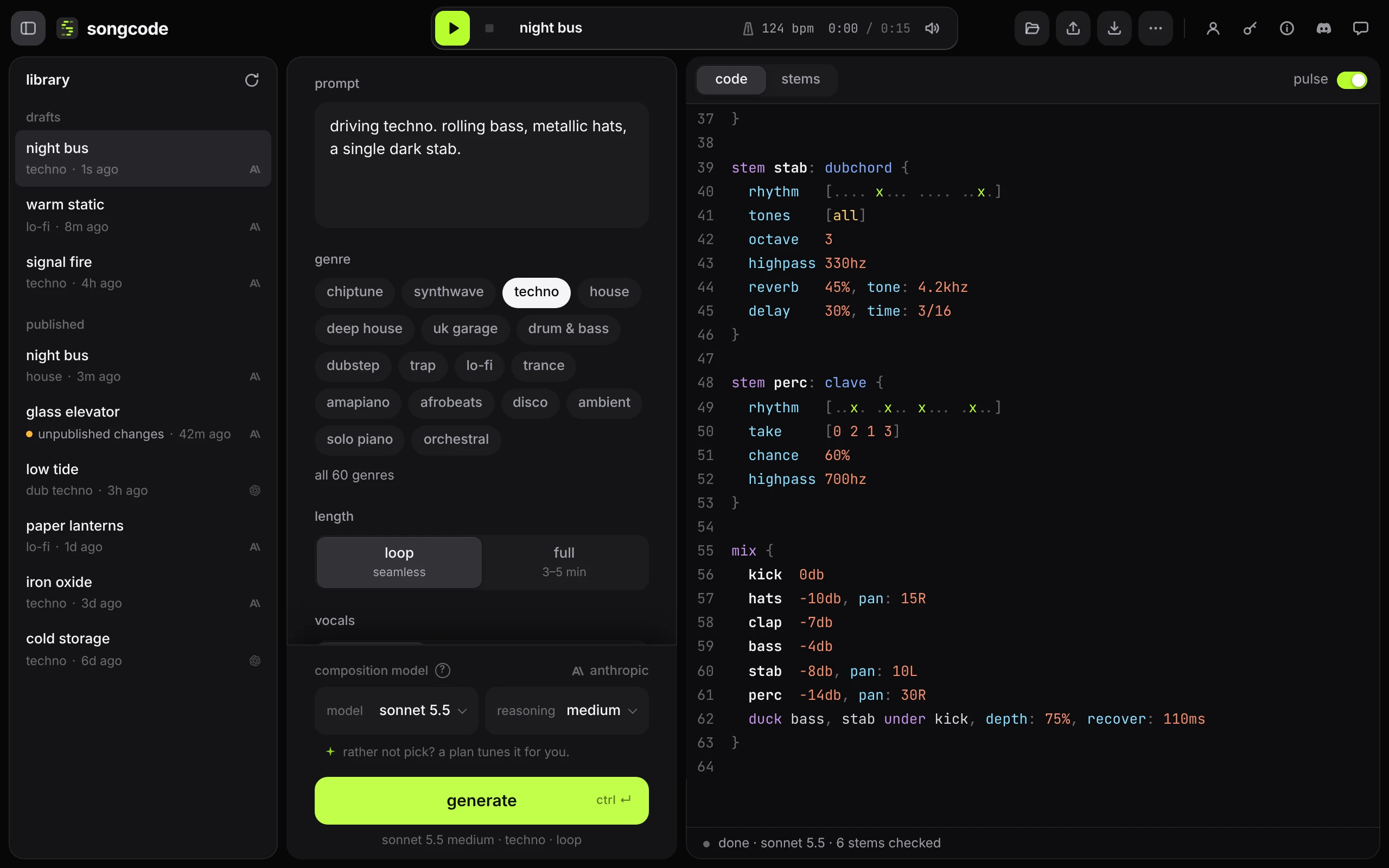
A draft has its own address, studio.songco.de/d/ and a short id, so reloading the page or coming back later opens it again where you left it. Drafts are listed under drafts in the library.
A draft is private. Only the account that made it can open it, and its address shows nothing to anyone else, signed in or not. To let someone hear a track, publish it.
Songcode keeps your 100 most recently changed drafts. When a new one would make 101, the draft left alone longest is removed. Published tracks do not count toward this, and neither do remixes, which have 100 places of their own.
#Publish
Press publish in the top bar. A sheet asks where the song can be found:
- on my public page: the song is listed on your public page and gets a song page of its own at
songco.de/@yourtag/<id>that anyone can find. - only people with the link: the song is listed nowhere. Whoever you send its Songcode session link (
t/<id>) to can open it.
Only you open a session as it is. Anyone else who opens your session link, signed in, gets it as their own remix, saved in their library under remixes, and your track stays untouched. Signed out, they can play and read it, and are asked to sign in to remix it.
Pick one and press publish. The sheet then shows the links: the Songcode session link always, and the song page link when the song is on your public page, each with a copy button. Listing a song needs a public page; without one, the sheet points you to set it up.
Press the button again at any time, even when it reads published, to switch between the two or copy a link. Publishing changes later keeps the song where it is.
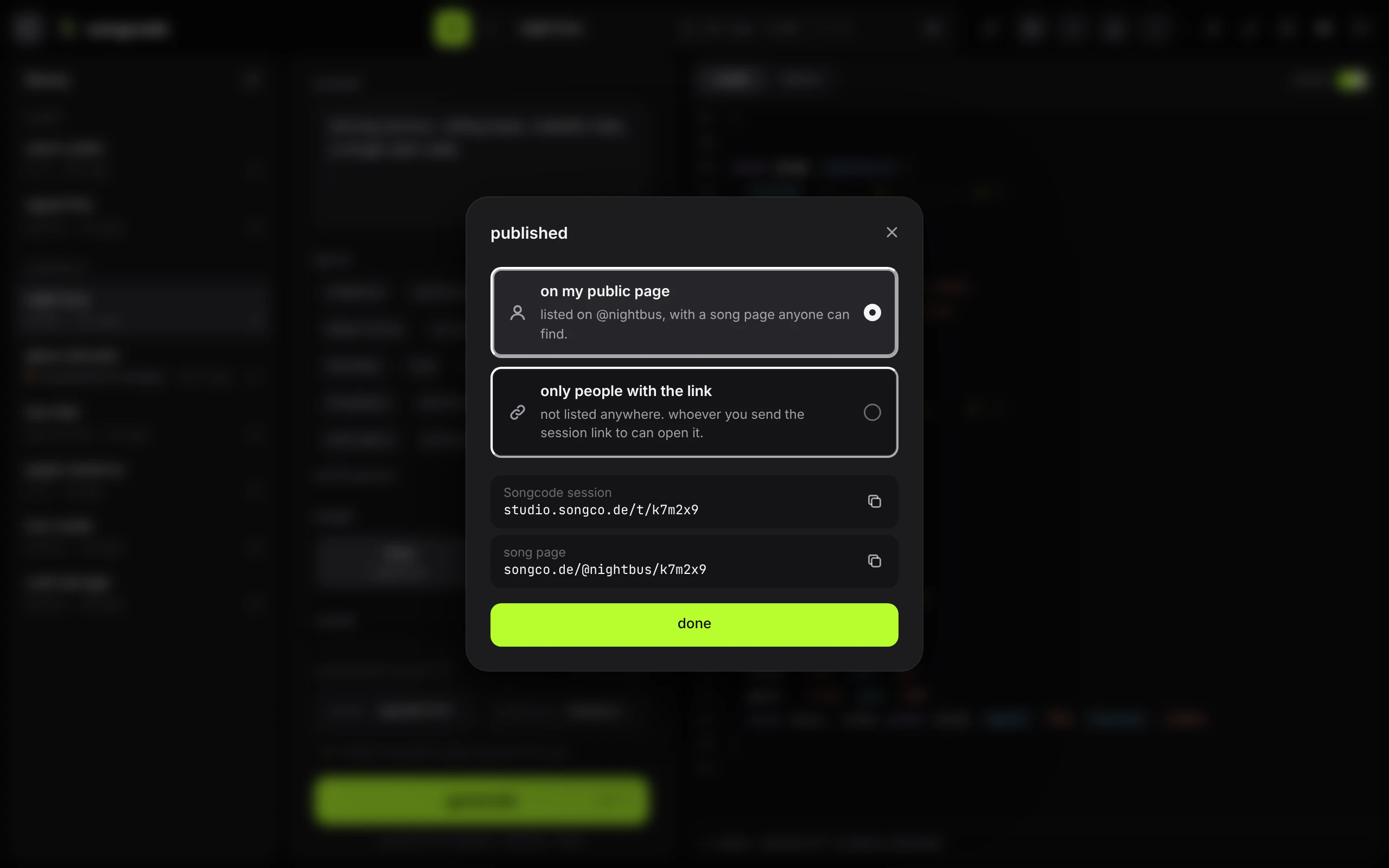
The track is published as it is right now, hand edits included, under the title in the transport. To name it first, click the title and type; see the title. Once the link has the version on screen, the button reads published.
#Changes after publishing
Keep working on a published track and your changes go to its draft, not to the link. The button reads publish changes, with an amber dot on its icon and a warm tint, and the library marks the track unpublished changes in the same amber. The button keeps it after a reload, and when the top bar shows icons only the dot is still there. Anyone who opens the link in the meantime hears the version you published.
Undo your way back to the published version, title included, and the button reads published again straight away.
Press publish changes to send them to the same link. There is one link per track: publishing again updates it, and a link you already sent opens the newest version.
To drop the changes instead, hover the track in the library and press the arrow, then discard. The track goes back to the version its link has.
#What is stored
- the code, up to 100 KB
- the title, up to 120 characters
- the prompt, genre, length and model the track was made with
- the tempo
- the advanced settings it was made with
- from the stems view: each stem’s level, pan and mute, and which view the track was published from
Your API key is never part of a track or a draft.
#Share
A published track shows its link as a pill next to publish: t/ and a short id. When the top bar is short of room the pill shrinks to a link icon, and it works the same.

Click the pill to copy the full address, for example https://studio.songco.de/t/k7m2x9. Anyone with the link can open the track, read the code, play it and download it. They need no account, no invite and no key for any of that. Remixing it takes an account.
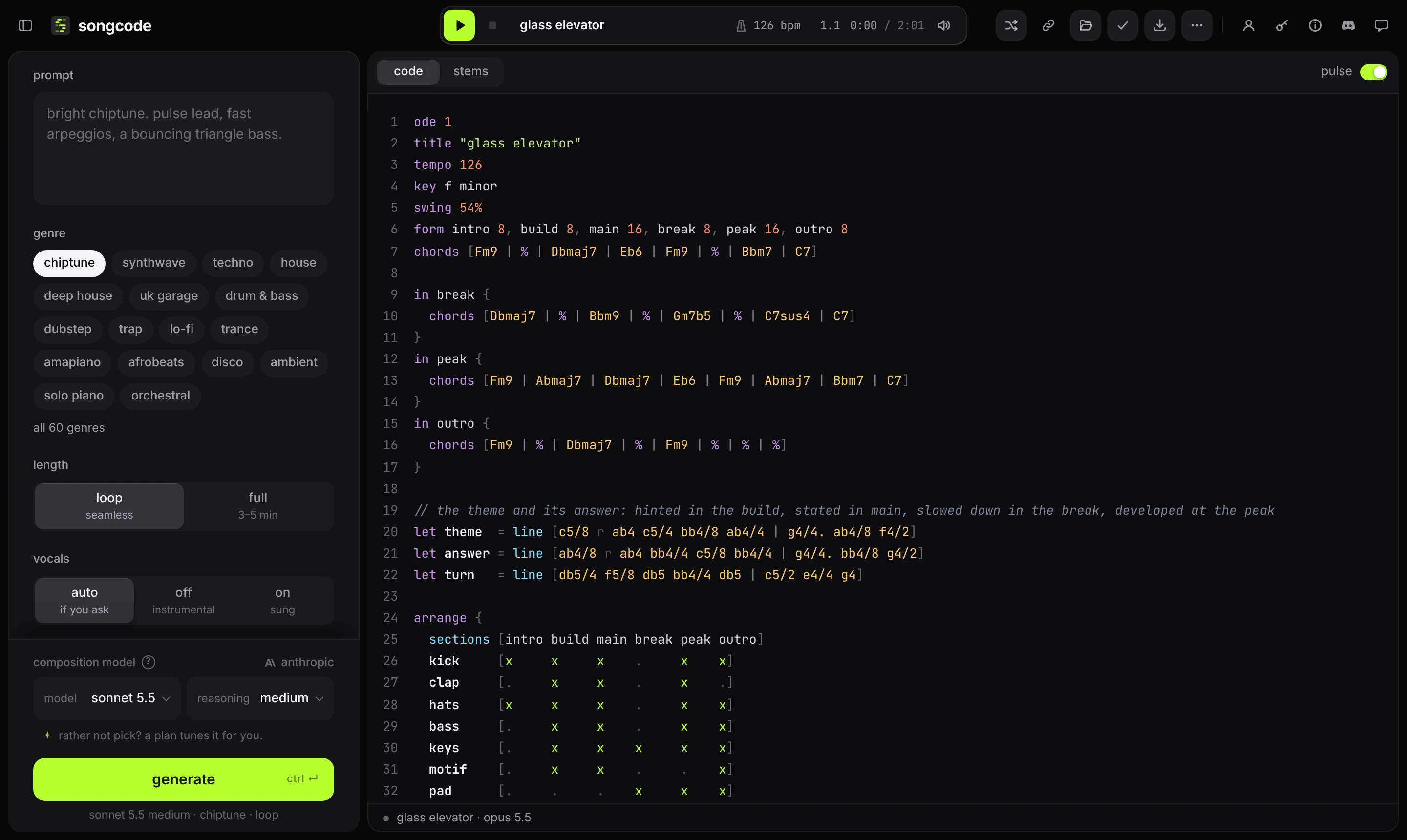
Opening a link loads the track and waits. Press play to hear it; browsers do not let a page start sound by itself.
#Without an account
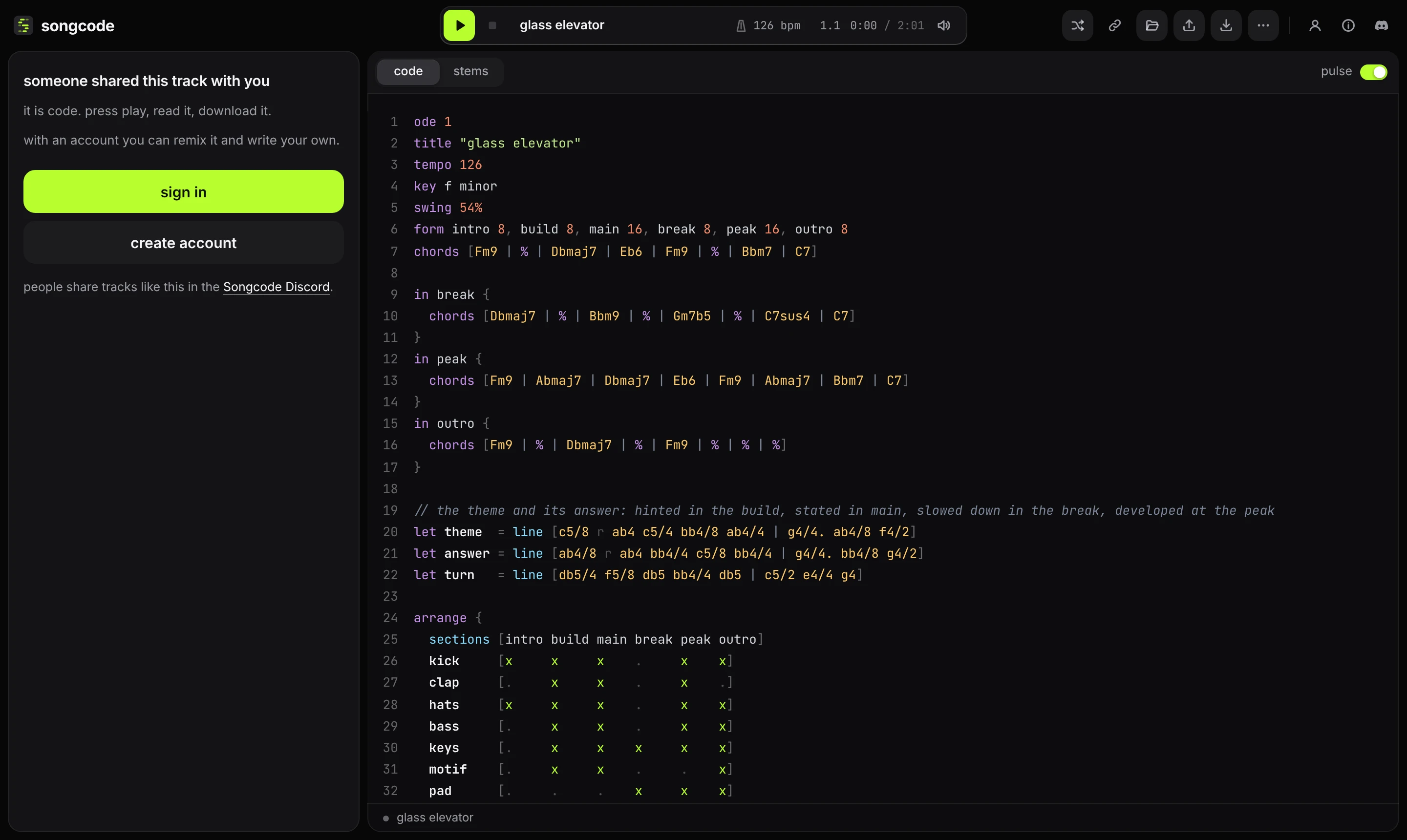
Someone who is not signed in gets the track and nothing else. The code, the stems view, play and download all work. The composer’s place is taken by a short note with sign in and create account, or ask for early access in a browser that has no invite, and a link to the Songcode Discord, where people share their tracks.
remix, publish and anything that writes music open the sign-in sheet, which closes again with its × or esc. After signing in with a password from remix, the remix is waiting in the composer. The library, the settings page, drafts and every other address still show the sign-in page.
The prompt stays yours when you publish. Only you see it on a published track, and a remix of your track starts without it.
#Remix
Opening someone else’s session link starts a remix straight away, or reopens the one you already have. remix in the top bar does the same from a track you are looking at. On someone’s public page and song pages, remix in Songcode does the same thing.
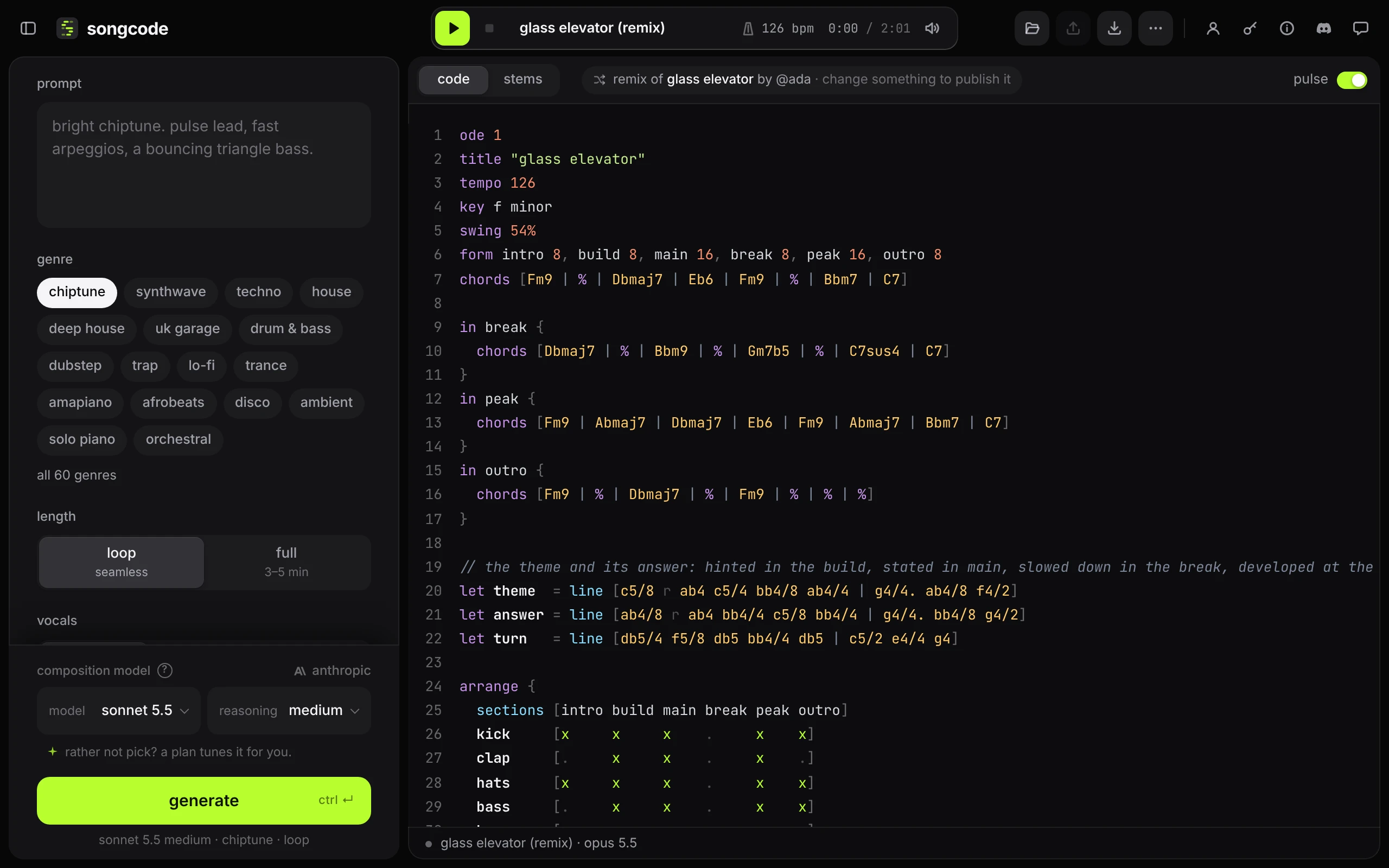
Remix saves a copy of the track in your account straight away:
- it is listed under remixes in the library, apart from your drafts, each one with the track it came from
- the code goes into the editor, ready to edit and play, and the title gets
(remix)added - a line over the code says remix of and the track’s title, with by @tag when its author has a public page. It links back to the original
Remixing the same track again, before you have changed anything, opens the remix you already have instead of making a second one.
A remix can be published once its code differs from the track it came from. Until then publish rests and the line over the code says change something to publish it. A new title on its own is not a change. A published remix keeps its line back to the original for good: on its own page, in the library and on your public page.
Editing someone else’s track directly works the same way: your changes become a remix of it, publishing it gives it a new link, and the track you opened stays untouched.
#Limits
One network address can publish 12 times a minute. Past that, publishing answers too many publishes. try again in a minute. and the track stays a draft, so nothing is lost by waiting.